

The new PropLIBRARY will go live in a week or two. We're not going to announce it right away after it goes live, because there are some content migration issues that we have to address on the live server. In the meantime, these images will give you a peek behind the curtain.
|
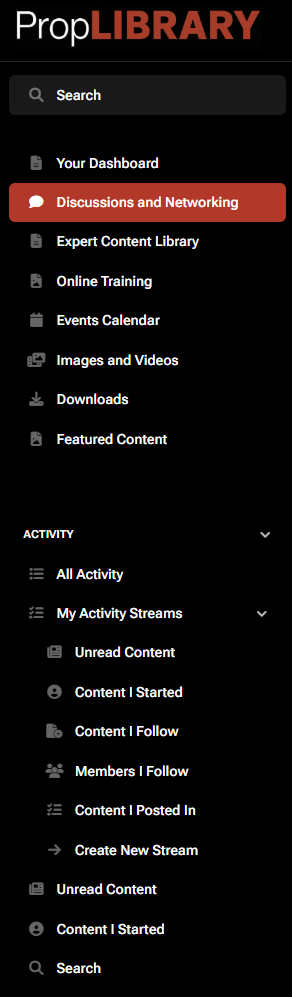
The new menu for PropLIBRARY is a lot more functional than the old menu. It's not just about content. There is a lot more that you can do. If you look closely, you'll see, just from the menu, some of the features and functionality the new site will have.
The new site is all about engagement. You can do things and engage with other people. It's not just about reading articles. You can participate in discussions and network with other users. You'll also be able to engage with other users directly and through events (virtual, in-person, or hybrid).
The new site opens up the interactions to everyone. Everyone can be content contributors. Everyone can have a voice. We can all learn from each other. Networking with others on the new PropLIBRARY can have tangible real-world results.
The new site will be easier to keep up to date with discussions and content additions because you'll have a feed. You can access content through the menus or through your feed. Check out all the different ways you can view your feed by clicking on the image of the menu.
We're also going to be inviting other authors to contribute on our platform and help build an audience collective. The more people in the community, the more valuable the community will be to everyone in it.
Think about all the different roles people play in our industry. Some are employees and some are consultants. PropLIBRARY has members from every type of company, from the smallest to the largest. Think about all the different perspectives they bring on growing their businesses.
On the new PropLIBRARY site, our articles will become discussions and our discussions can inspire articles. And all that new content won't all be written by PropLIBRARY. We have a huge audience and now everyone can play a part. And the more who do, the more each PropLIBRARY user will get out of the experience.
The new site will have a lot more online training, with many different instructors. Here's a peek at the new online training interface:
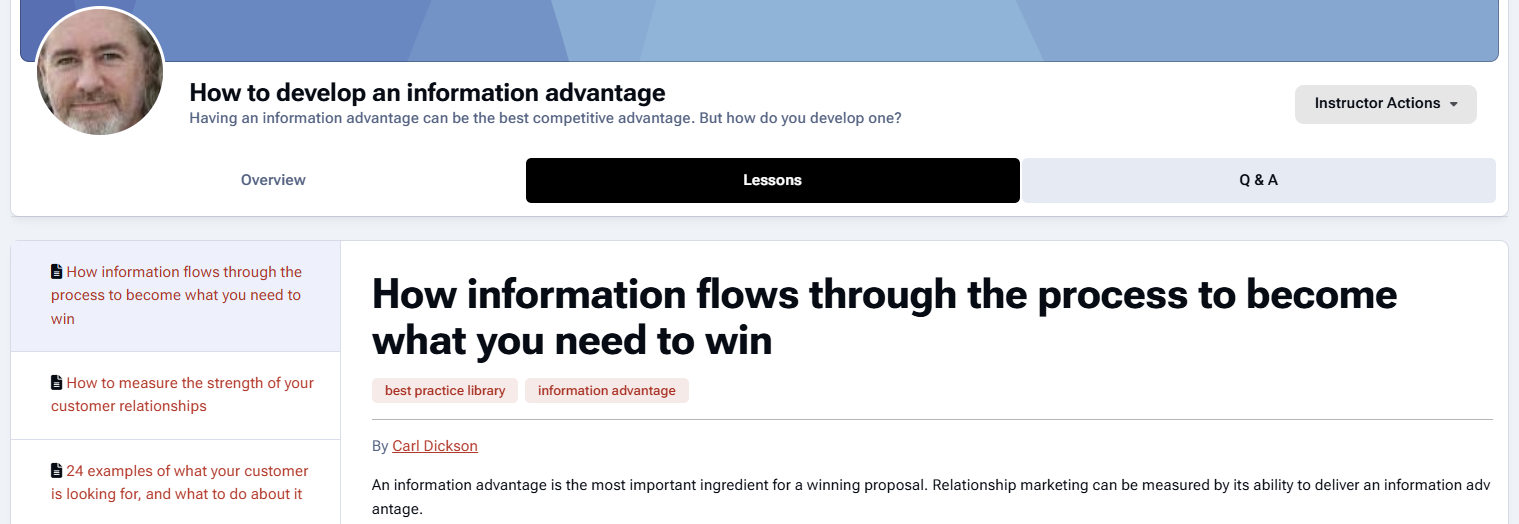
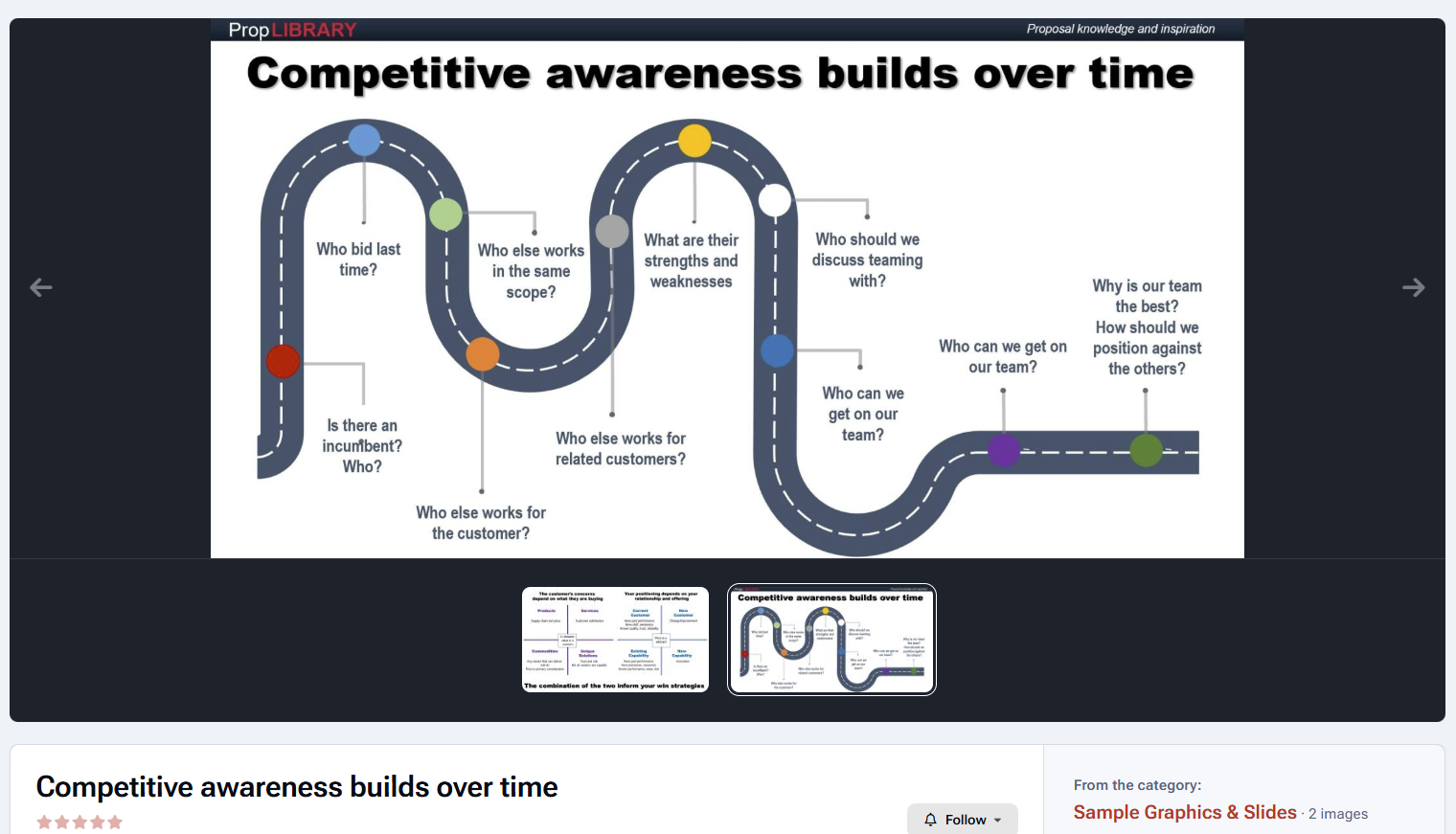
Here's an example of how some of the training materials can look. There will be also quizzes, exercises, collaborative projects, and interaction between students and the instructor:
We have thousands of items in our content libraries. The new content libraries can be filtered simply by clicking on tag names, making it easier to get to the content that interests you in that moment:
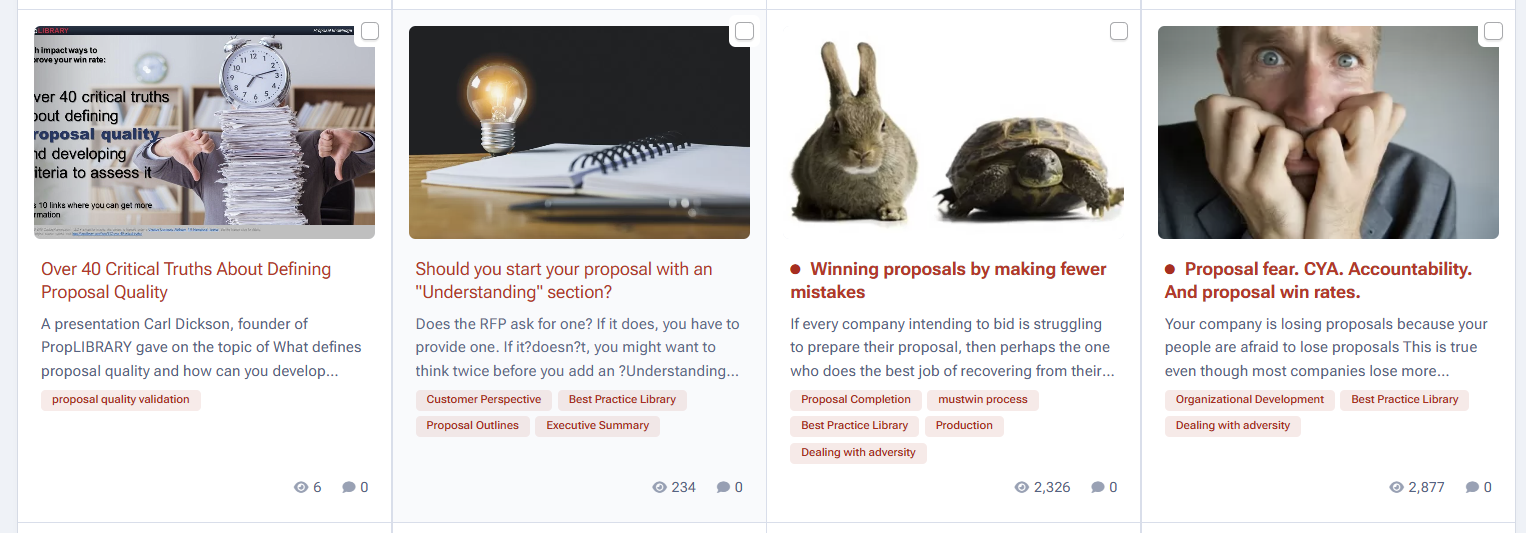
By the way, our most popular article has 83,085 views. Let me know when you find out which one it is.
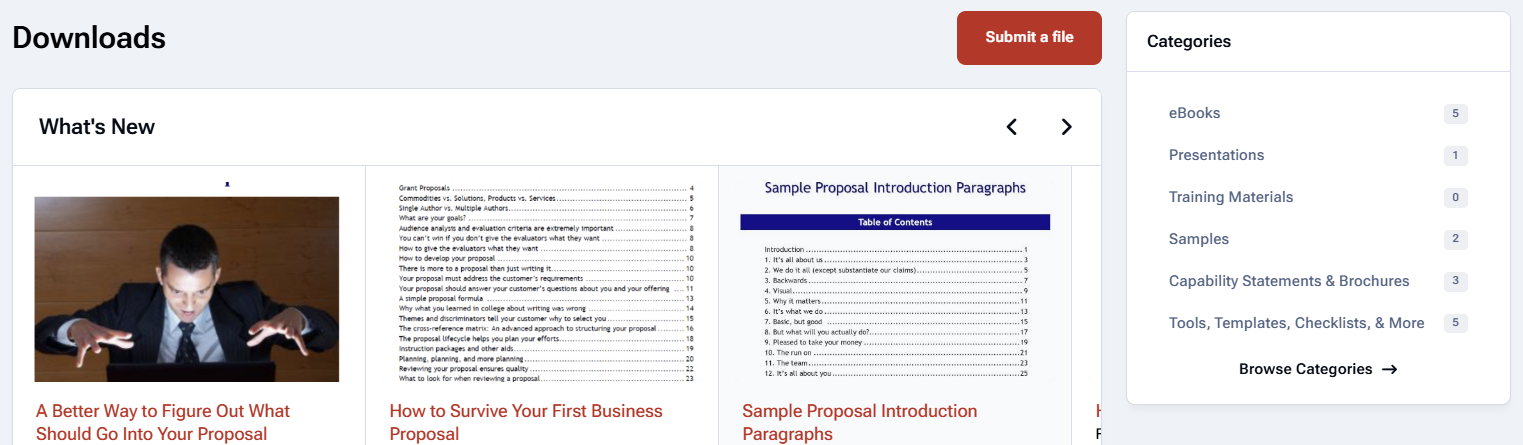
Here's a peek at the download library where you'll be able to download different kinds of files. We're not done migrating our current content, but you can get a feel for it from this screen shot:
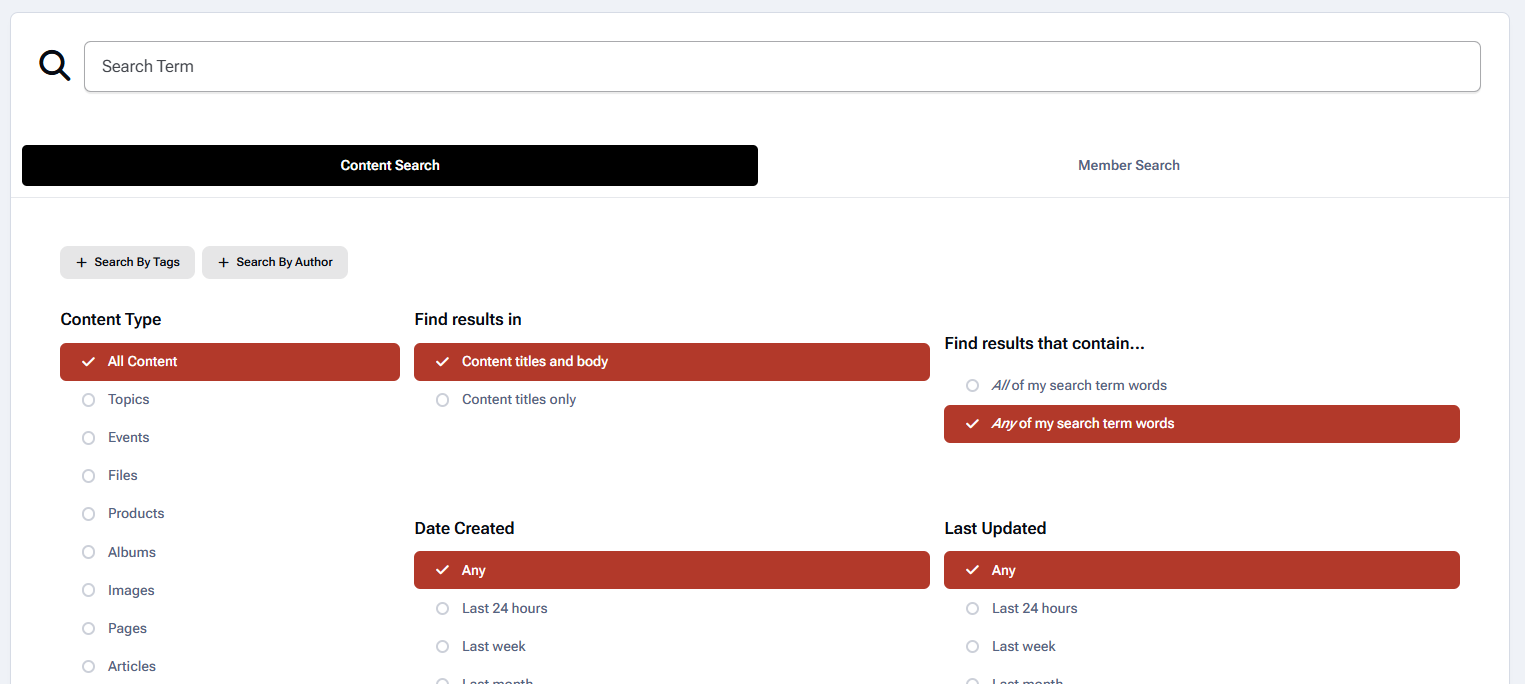
The search tools are also much improved so that you can better find what you are looking for:
These screen shots really don't do it justice. The new PropLIBRARY is an interactive place. I look forward to meeting you all there. But first I've got thousands on content items to migrate and review, formatting issues to fix, and so on.
When it first goes live, it will do so quietly because I'll still have some work to do. But if you're eager to see it, just start checking in about a week. When it goes live, you'll see the differences right away.
Let's discuss it!
You can post now and register later. If you have an account, sign in now to post with your account.
Note: Your post will require moderator approval before it will be visible.